Frequently Asked Questions
Quick answers about pricing, recording equipment, and our service
We use simple pay-per-use pricing. Our ML processes at faster than realtime speed, so you pay a fraction of traditional analysis costs. Our costs are so low we have to offer it to you in hours to make sense.
See current rates and examples on our Pricing page — prices shown in your local currency.
Your audio processes faster than realtime speed through an our ML. We seriously know Secure Enterprise Cloud at scale. And, we charge you by the minute only for the actual compute used for your audio.
Yes! After uploading, you'll see the exact cost before checkout. We use Stripe for secure payment processing. No surprises, no hidden fees.
We accept all major credit cards via Stripe: Visa, Mastercard, American Express, and more. Prices are shown in AUD and converted to your local currency at checkout.
Yes! We are very confident in our algorithm and service, so we give you 10 free ML mins of free ML time for new users. It's easy to check out — try Record Now or just upload a short recording. Honestly, we found some funny noises that can be detected but we won't spoil your fun...
You can use devices you already own:
- Smartphone - Any old phone works great as a dedicated recorder
- Digital voice recorder - Sony/Olympus from $30-80 work perfectly
- Security camera - Ring, Nest, Arlo, Wyze all record audio
- PC/Laptop - Record with Audacity (free) or any audio software
Yes! Logged-in users can use our Record Now subcomponent to capture audio directly from their device's microphone with GPS location tracking. Great for on-the-go noise documentation.
We accept MP3, WAV, M4A, FLAC, OGG, WebM, and most common audio/video formats. Our system extracts audio from video files automatically.
Most security cameras let you download clips from their app. Export as MP4 when possible:
- Ring - Select event → Share → Save Video (MP4)
- Nest/Google - Google Home app → View event → Download (MP4)
- Arlo - Select clip → Share → Save to Device (subscription required)
- Wyze - View event → Download (MP4)
- Eufy - Select clip → Download (app only, no web)
- Blink - Select clip → Download, or backup to USB via Sync Module
- SimpliSafe - Select clip → Download (one at a time)
- Reolink - Download via app or Reolink Client software (MP4)
- TP-Link Tapo - View clip → Download (local WiFi only)
- Swann - Export via SwannView software (MP4 or AVI)
Pro/NVR systems (Hikvision, Dahua, UniFi, Lorex): Export to MP4 format using the manufacturer's software. Proprietary formats (DAV, UBV) are not supported.
Upload the exported video directly - we extract audio automatically from all standard formats.
Yes! Our REST API supports automated uploads from any system that can make HTTP requests:
- Home Assistant - Use rest_command to trigger analysis on noise detection
- Raspberry Pi - Script continuous monitoring with auto-upload
- NAS/NVR - Batch upload recordings with our API
- Frigate - Webhook integration for event-based analysis
See our Integrations page for setup guides.
You can build a continuous monitoring station for under $100 using:
- Raspberry Pi + USB mic - Record in 30-min chunks, auto-upload to API
- ESP32 + I2S mic - Ultra-low-power, battery/solar viable
- Old smartphone - Free if you have one, use Tasker for automation
Our Edge Devices guide has full setup instructions.
Yes! Add our REST command to your Home Assistant config and trigger analysis automatically:
- Camera noise detection triggers recording
- Recording uploads to H‑ear API
- Optional webhook callback when analysis completes
- Results available in dashboard or via webhook
See the Home Assistant tab on our Integrations page.
When submitting audio via API, you can include a callbackUrl. We'll POST results to your server when analysis completes, including HMAC-SHA256 signature verification. Great for automation workflows where you need to act on results immediately.
Yes! Our batch API endpoint accepts up to 50 files in a single request. Perfect for:
- Processing SD card dumps from security cameras
- Bulk import from NAS or cloud storage
- Nightly batch processing of accumulated recordings
See Code Samples for batch examples.
Audioset based models (YAMNet, PANNS) can classify approximately 521 different sound types including:
- Dog barking, cat meowing, animal sounds
- Traffic, horns, vehicle engines
- Aircraft, helicopters, drones
- Construction equipment, power tools
- Music, voices, TV/radio
- Environmental sounds (wind, rain, birds)
We use our H-ear algorithm to mathematically analyze the ML in a fully reproducible manner. H-ear algorithmically considers temporal probability of connectivity between raw ML sound events. H-ear enables richer context of the world around us via sound annotation, e.g. that was a dog barking, a vehicle drove by, a noise was on but is now off, etc.
Analysis runs at faster than realtime. You'll receive a notification via email when complete.
Yes. Audio files are encrypted in transit and at rest. Files are processed in isolated containers. We never share your data with third parties. Your data and privacy are respected and secured with the highest technical and privacy consideration.
Please check in with the Help & Status page. Please do contact our support team with any questions or concerns with our service. If you need help in any way or you have any feedback whatsoever, please do not hesitate to get in touch with the humans in the backend at support@h-ear.world.
H-ear your Environment
Play the audio. Interact with the annotation timeline. Download 100% real output and compare H-ear noiseEvents versus ML rawPredictions (we give you both).
Analysis


26
Total Events26
Total Events40.3
Avg dB40.3
Avg dB62.0
Max dB62.0
Max dB70%
Avg Confidence70%
Avg ConfidenceYAMNet
ModelYAMNet
Model1. Animal > Livestock, farm animals, working animals > Fowl
2 events · 5.8s · 100% conf2. Human sounds > Respiratory sounds > Breathing
1 events · 3.8s · 100% conf3. Animal > Wild animals > Frog
1 events · 2.9s · 100% confSnippet Details
62.277s (1m 2s)
973.9 KB
Upload
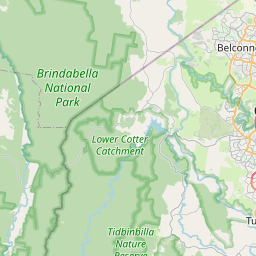
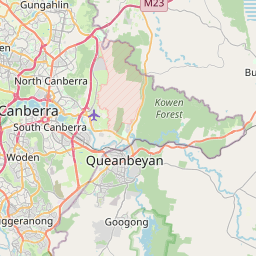
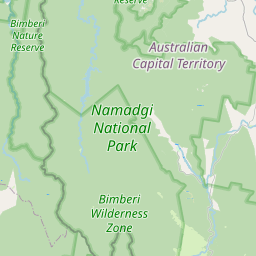
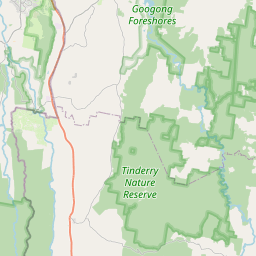
GPS Location
-35.250830
149.049271
212m
7 Apr 2:31 am
browser
Australia/Sydney
Timestamps
7 Apr 2:31 am
7 Apr 2:32 am
10 Apr 7:11 pm
10 Apr 7:11 pm